
Neonlight Theme Keyboard1.4 - Get APK
You'll be able to download in few seconds.
Publisher Description
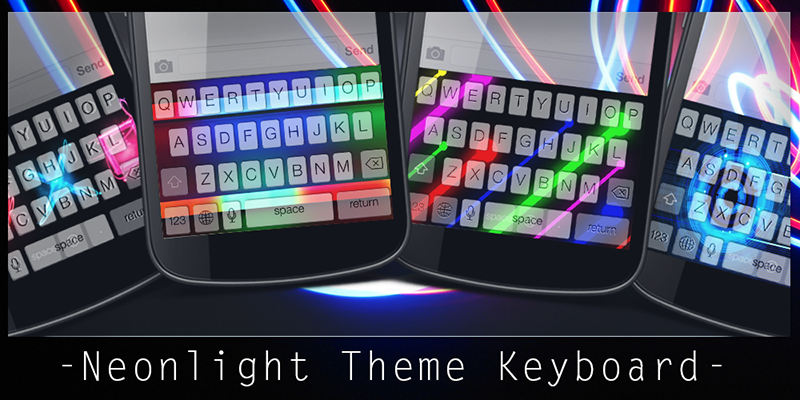
Add color to your life with Neonlight theme. It could be extremely fantastic if you can use the same theme for both keyboard and wallpaper. With Neonlight Theme Keyboard, you will be able to change the color or the picture of your keyboard to be a Neonlight style, and at the same time you can change the theme of your wallpaper to align with that of keyboard.
Your phone and gadget will be dressed up keyboard and wallpaper with the latest outfit and the Neonlight Theme Keyboard colors will accessorize your texts with a fancy style. The Neonlight effect style will remind you about those party nights when you were in the middle of the action. Try this theme and you will be a trendsetter among your friends and family.
You can change your wallpaper with this app and All set! It is free to use this cute and lovely emoji!
You can see how to change a theme from the screenshots area or follow the steps below.
Easy steps to change your theme:
- After the installation is completed, go to Setting.
- Select Language & input.
- Select our application's name, that is Neonlight Theme Keyboard.
- Click to select Default English (United States) - Neonlight Theme Keyboard.
- A pop-up page will be displayed asking you to select the input method. Please select the name of the application that you have installed.
- Enjoy using it.
Please bear in mind that sometimes the menu of the tablets or mobile phones are different from brands to brands. However, the general menu has something in common so you will not be confused for sure.
About Neonlight Theme Keyboard
The company that develops Neonlight Theme Keyboard is KeyboardThemez. The latest version released by its developer is 1.4.
To install Neonlight Theme Keyboard on your Android device, just click the green Continue To App button above to start the installation process. The app is listed on our website since 2015-05-15 and was downloaded 0 times. We have already checked if the download link is safe, however for your own protection we recommend that you scan the downloaded app with your antivirus. Your antivirus may detect the Neonlight Theme Keyboard as malware as malware if the download link to com.keypad.neonlight41 is broken.
How to install Neonlight Theme Keyboard on your Android device:
- Click on the Continue To App button on our website. This will redirect you to Google Play.
- Once the Neonlight Theme Keyboard is shown in the Google Play listing of your Android device, you can start its download and installation. Tap on the Install button located below the search bar and to the right of the app icon.
- A pop-up window with the permissions required by Neonlight Theme Keyboard will be shown. Click on Accept to continue the process.
- Neonlight Theme Keyboard will be downloaded onto your device, displaying a progress. Once the download completes, the installation will start and you'll get a notification after the installation is finished.
Program Details
System requirements
Download information
Pricing
Version History
version 1.4
posted on 2015-05-15
- Thanks for using Neonlight Theme Keyboard App! We update the app around every 2-3 weeks soit continues to work great for you.,- Improved Performance & Bug Fixed.
Disclaimer
External Download
We do not host Neonlight Theme Keyboard on our servers. We did not scan it for viruses, adware, spyware or other type of malware. This app is hosted by Galad and passed their terms and conditions to be listed there. We recommend caution when installing it.
The APK Download link for Neonlight Theme Keyboard is provided to you by apps112.com without any warranties, representations or guarantees of any kind, so access it at your own risk.
If you have questions regarding this particular app contact the publisher directly. For questions about the functionalities of apps112.com contact us.
